Rigging Guideline
rigging-master-path-setup
Download Markdown Download with Images3ds Max Rigging Master Path Setup Guide — Project Structure Configuration
🗂️ Required Work Environment
A pipeline setup proposal for getting 100% out of Fast Ref
0. Reference Pipeline Overview (Best Practice)
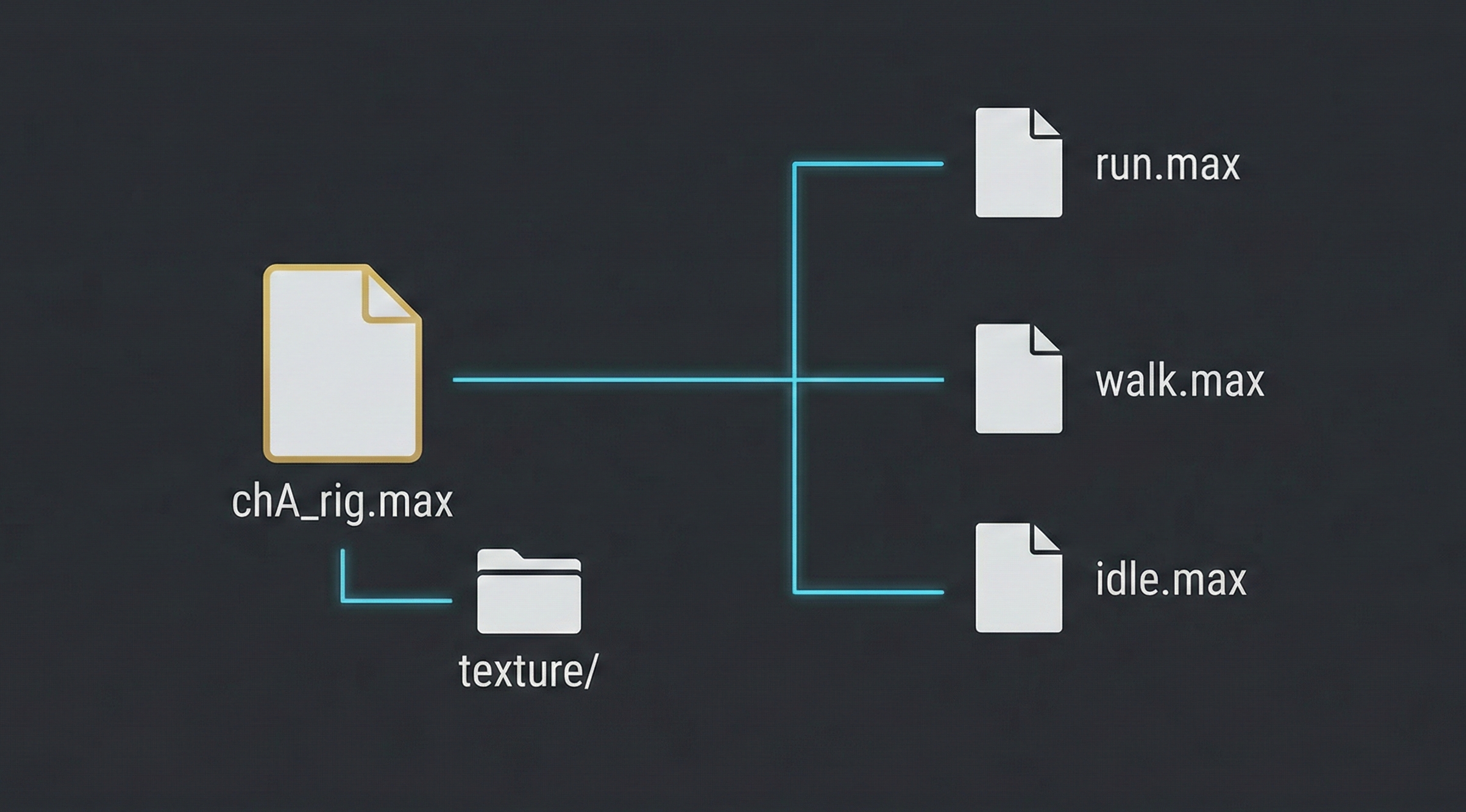
As a general rule, it is standard practice to manage rig source files and animation data separately, as shown below.
| Category | Rig Source (Rig) | Animation File (Ani) |
|---|---|---|
| Animation Data | X (Empty) | O (Data Included) |
| Rig Link State | Source file | Rig file in Linked state |
💡 Note: However, due to the nature of game animation production environments based on 3ds Max, this reference-based pipeline approach may be somewhat unfamiliar or differ from existing workflows. This structure is designed for efficient collaboration, so please refer to the solutions below.
1️⃣ Setting Up a Team Shared Drive Environment
Recommendations
- Install a shared drive within the team using NAS or a virtual drive
- e.g.,
N:\drive,Z:\drive, etc.
⚠️ Why NAS is Recommended
| Method | Pros/Cons |
|---|---|
| NAS (Recommended) | ✅ Fast sync, many SSD-based devices |
| Google Drive | ❌ Slow sync → disrupts workflow |
2️⃣ Rig Master Data Structure
Core Principle
Create a dedicated "rigging master folder,"
and always load only files from that path during team animation work
📁 Recommended Folder Structure
project_name (English recommended)
│
└── rig
    │
    └── lilly (character name)
        │
        ├── lilly_rig.max        ← 🎯 Master file (current latest)
        │
        ├── texture/             ← Texture folder
        │   └── images...        ← ⚠️ Must be linked with relative paths!
        │
        └── old/                 ← Backup folder
            ├── lilly_000_rig.max
            ├── lilly_001_rig.max
            └── ...              ← Freely back up work data
🎯 Key Points
| Item | Description |
|---|---|
| Master file | Always keep only the latest rig at the root |
| old folder | For backing up previous versions |
| texture | Relative path linking is required! |
3️⃣ Path Rules (Very Important! ⚠️)
❌ Strictly Prohibited
C:\프로젝트\캐릭터\릴리_리그.max     ← Korean path ❌
C:\project (복사본)\rig\lilly.max   ← Special characters ❌
✅ Recommended
C:\project_present\rig\lilly\lilly_rig.max ← English only ✅
🤔 Why can't Korean paths be used?
Encoding issues occur when using Python scripts!

Issues:
  - Different programs handle characters differently (UTF-8 vs CP949, etc.)
  - Path recognition failure → Higher probability of errors

Conclusion:
  - English paths are required for pipeline automation!
4️⃣ Recommended Data Organization
Current State (Estimated)
- Rig data is mixed in with animation folders
- Difficult to identify which file is the latest
Organization Direction
Before:
  animation/
    ├── shot_001.max
    ├── lilly_rig_v3.max      ← Rig files are mixed in
    └── shot_002.max

After:
  rig/                        ← Dedicated to rigging
    └── lilly/
        └── lilly_rig.max

  animation/                  ← Dedicated to animation
    ├── shot_001.max          ← Connect rig via Fast Ref
    └── shot_002.max
5️⃣ Following Team Rules (Initial Adjustment)
Action Plan
- It may feel somewhat inconvenient at first
- Strictly follow these rules for at least 1 month
- It will then become part of the team culture
📊 Real-World Case (Blender-based Studio)
Application period: 1–2 months

Results:
  ✅ "Rig synchronization" pipeline culture established
  ✅ Animation workflow productivity improved
  ✅ Confusion significantly reduced (approx. 15%+)
📋 Checklist
□ Set up team shared drive (NAS recommended)
□ Create rigging master folder structure
□ Organize existing data (set aside time for this)
□ Share path rules (no Korean!)
□ Commit to following rules for 1 month
"Building this pipeline will be a great help in improving long-term work efficiency!" 🚀
@@