Ep.3 — Replace (Core Feature) and Namespace Multi-Character Management
Download Markdown Download with ImagesSummary: When swapping a rigged character for a new rig, Fast-Ref's Replace function perfectly preserves Biped, Bone animation, and Constraint relationships. Namespace prefixes are also assigned and managed to prevent name collisions when multiple instances of the same character appear in a scene.
1. Fast-Ref's Core Weapon: The Replace Workflow
The moment most Max animators feel most frustrated is receiving feedback that says "the rig data was revised — you need to redo the work." Even a single bone name change can break all previously keyed animation, forcing artists to start over from scratch.
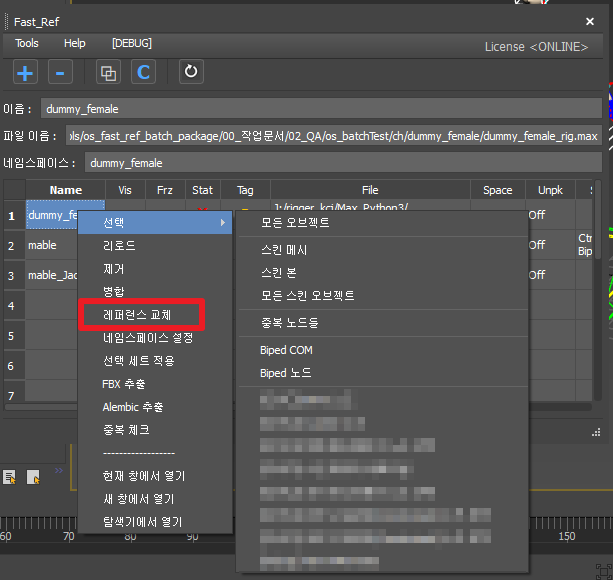
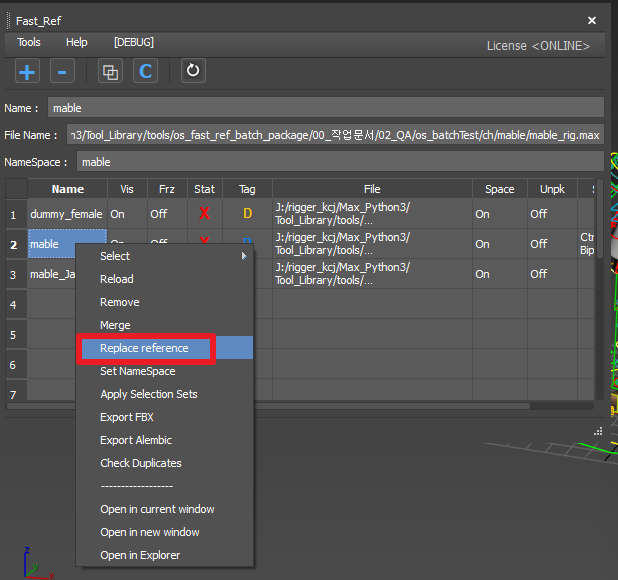
Fast-Ref's Replace feature completely circumvents this problem. Simply point the rig source file path to the new version, and it automatically backs up and precisely transplants the following core animation systems into the new rig.
🛡️ The 3 Core Animation Assets Guaranteed to Survive
- Biped animation: Pelvis position, IK information, and limb motion are saved without any loss.
- Bone animation: Props, capes, and hair animated on standard Max Bones (rather than Biped) are also backed up (via
.xaftransplant) and carried over intact. - Constraint relationships: The countless internal and external Constraint connection structures set up on the character — accessories on the head, weapons in the hand — are preserved via a precise scene-wide map, with no need for manual re-targeting.
This reduces the time previously spent on manual copying by at least 10x and can even handle simple costume swaps or animation transfers to a similarly-structured different character with ease.
2. Namespace Management Rules (Safety Net for Multi-Character Scenes)
What happens if you copy 2–3 instances of Mable into a single scene?
By default, 3ds Max automatically appends numbers to duplicate object names to make them unique (Mable_Bone_01, Mable_Bone_02, etc.). This causes rigging structures and controller links to tangle, easily demolishing the entire scene.
Fast-Ref prevents this cleanly using prefix (Namespace) separation, the Maya standard approach.
- Character Mable_A gets
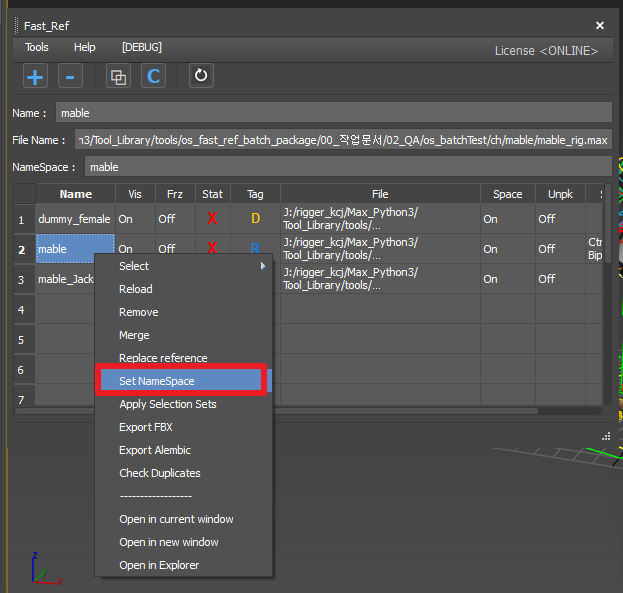
Mable_A:root, Mable_B getsMable_B:root— a unique namespace neatly prepended to every node. - Namespace change: The slot's namespace can be easily edited with a single click in the table view.
- Activate Space: In a multi-character scene, this immediately locks the namespace of the specific character you are currently animating to an 'active' state, preventing the catastrophic accident of accidentally touching and corrupting a neighbouring character.
3. Name Compatibility with External Tools
A studio's proprietary exporter or certain scripts may not recognise the colon-prefixed namespace node format at all.
In such cases the Namespace prefix needs to be turned off so nodes are spread into the scene with their original flat names — but performing Replace at random with Namespace off can cause crashes where an adjacent multi-character instance vanishes entirely or becomes tangled.
The intelligent helpers that resolve these special pipeline compatibility concerns are EP04 (Unpack) and EP06 (Smart Switch).