FAQ.2 — Animation data disappears
Download Markdown Download with Images📂 Fast-Ref: Preventing animation loss — workflow guide
1. Issue
- Situation: When loading files via
Fast-Ref(Load/Add), animation data that was included in the rig source disappears.
2. Reference pipeline (Best Practice)
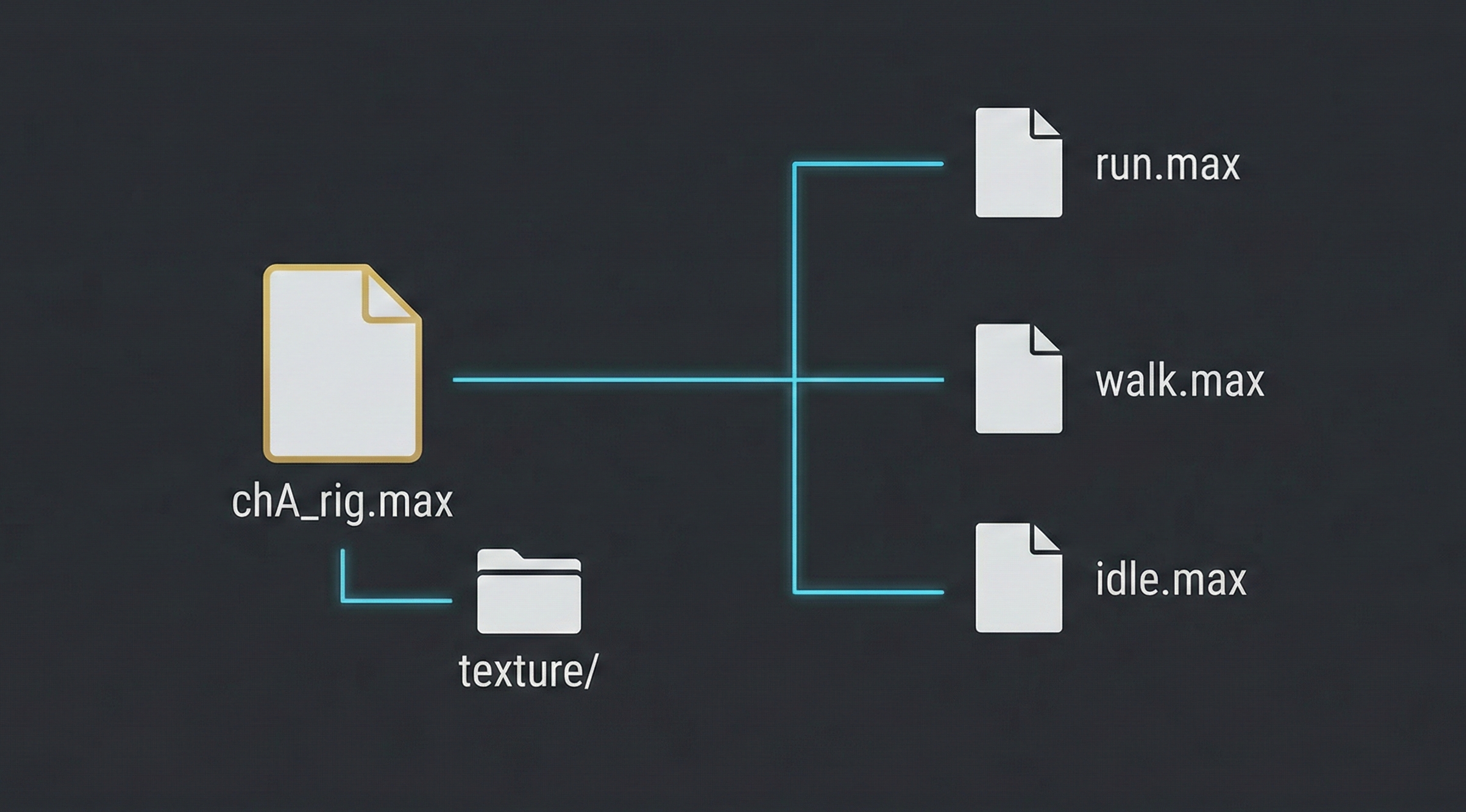
The standard approach is to separate rig source and animation data as follows:
| Category | Rig source (Rig) | Animation file (Ani) |
|---|---|---|
| Animation data | X (Empty) | O (Data Included) |
| Rig link state | Source file | Rig file is Linked |
💡 Note: In 3ds Max game animation workflows, this reference-based pipeline may feel unfamiliar or differ from your current habits. It is structured for efficient collaboration—see the solutions below.
3. Root cause
This happens due to a data structure conflict when the rig source contains animation keys.
- Detail: When loading rig files, Fast-Ref automatically cleans up animation to keep an optimal state. If the source includes test animation, the algorithm can get confused and data may be lost.
4. Solution
✅ Option A. Clean rig source data (recommended)
- Remove unnecessary test animation from the rig source file. This keeps the data structure cleanest.
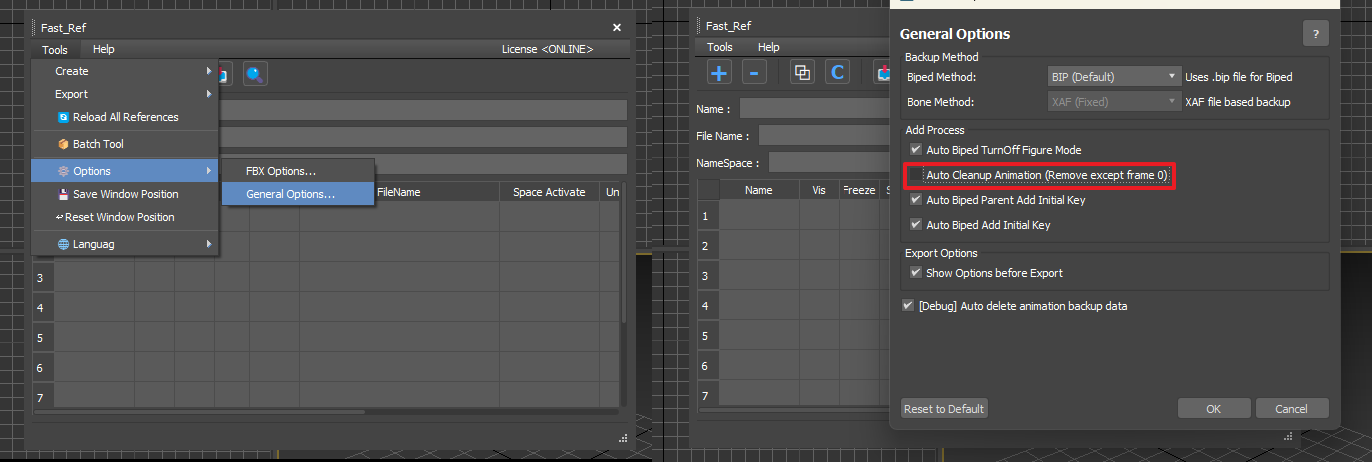
✅ Option B. Temporarily disable auto cleanup
- In [Option] → [General Option], uncheck
Auto CleanUp Animation. - Use this only once when you must preserve data; re-enable it afterward for normal optimization.
✅ Option C. Preserve data with [CONVERT]
- Convert an existing animation file with [CONVERT], then replace with the rig file to safely keep animation data.
- Reference: Fast-Ref Convert guide
🚀 Learn more: Recommended reference workflow
See Fast-Ref’s recommended production setup for smooth collaboration and data management—folder structure, path rules, and more.
👉 Fast-Ref reference-based workflow guide (See the “Required production environment” section at the bottom!)