Ep.5 — Layer Basics
Download Markdown Download with ImagesCreate one layer per body part and build up skin weights like an oil painting. This episode also covers the case where a leftover start bone on Pelvis keeps the lower body from following, and how to find a problem layer with Activate.
1. Add a Layer
- Click the + button at the bottom of the Layers panel.
- A layer is added. Name it Thigh.
- Add one layer per body part like this.
- Each layer holds the weights and mask for one part.
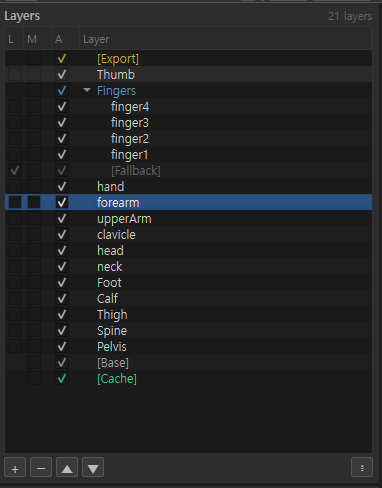
| Column | Meaning |
|---|---|
| L | Cache Lock. Locking pins that layer to the cache |
| M | Modified. Layer has been edited |
| A | Activate. Toggle it to find a problem layer |
| Layer | Name |
[Base] at the bottom is the foundation brought in by Pick. It cannot be renamed or moved. The other system layers on screen are yellow [Export], gray [Fallback] and green [Cache]. It is safest not to delete or move them like normal layers.
− at the bottom deletes the selected layer, and ▲▼ change the stacking order. ⋮ is a separator. When splitting into sections such as hand, arm and body, insert a Separator above or below the selected row. The upper layer covers only its own range, and the lower layer remains outside it.
A row with a blue name and an arrow is a Layer Group. Grouping is covered in Ep.11 — Layer Group.
2. Paint on the Layer
Select Thigh and paint along the thigh. A rough pass is fine.
3. A Common Mistake: the Pelvis Start Bone
If Spine follows but the lower Pelvis does not, a non-moving start bone is still left on Pelvis.
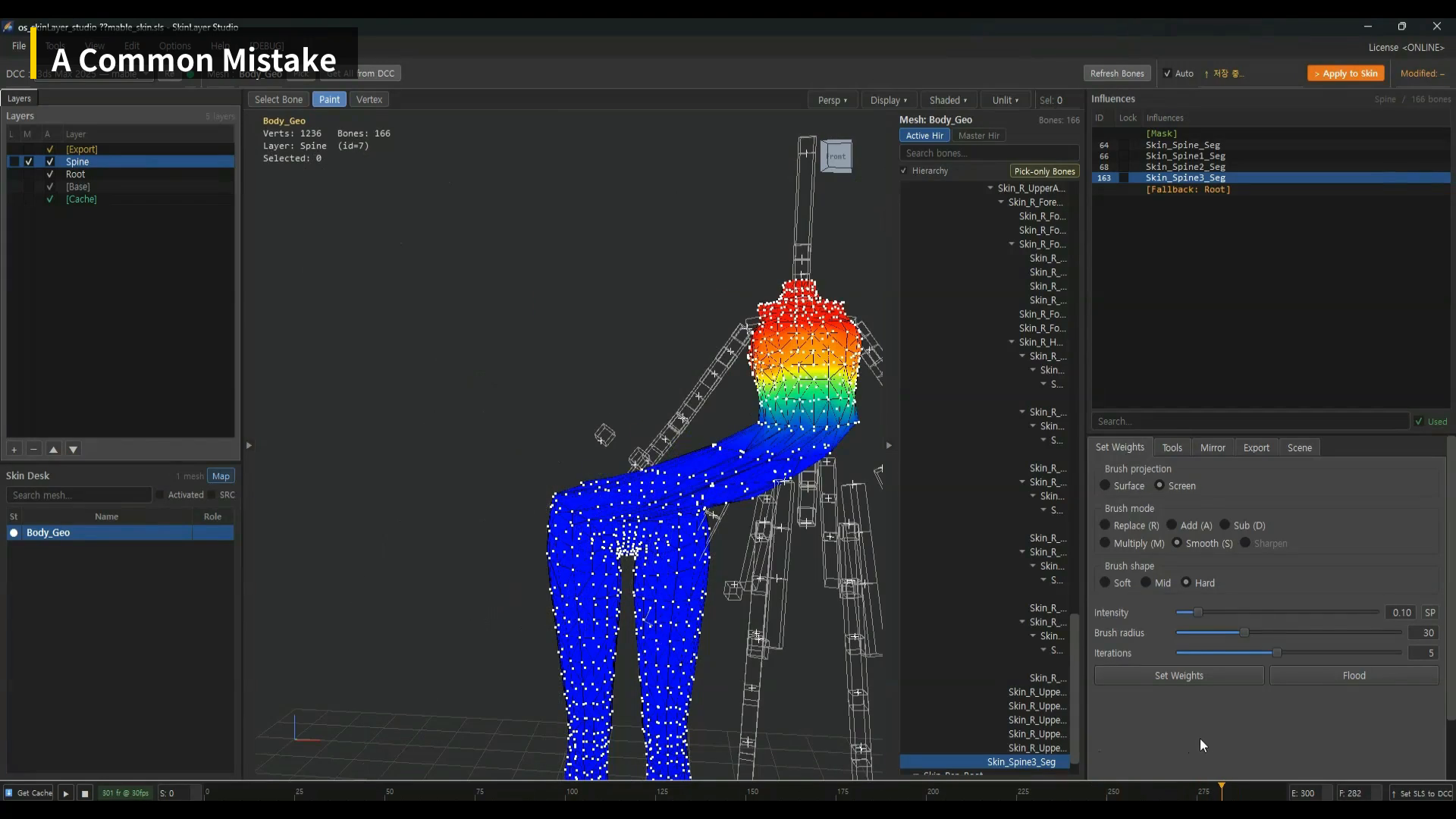
- Switch to the Pelvis that moves.
- Give Pelvis Seg a value of 1.
- The lower body now follows too.
4. How Layers Stack
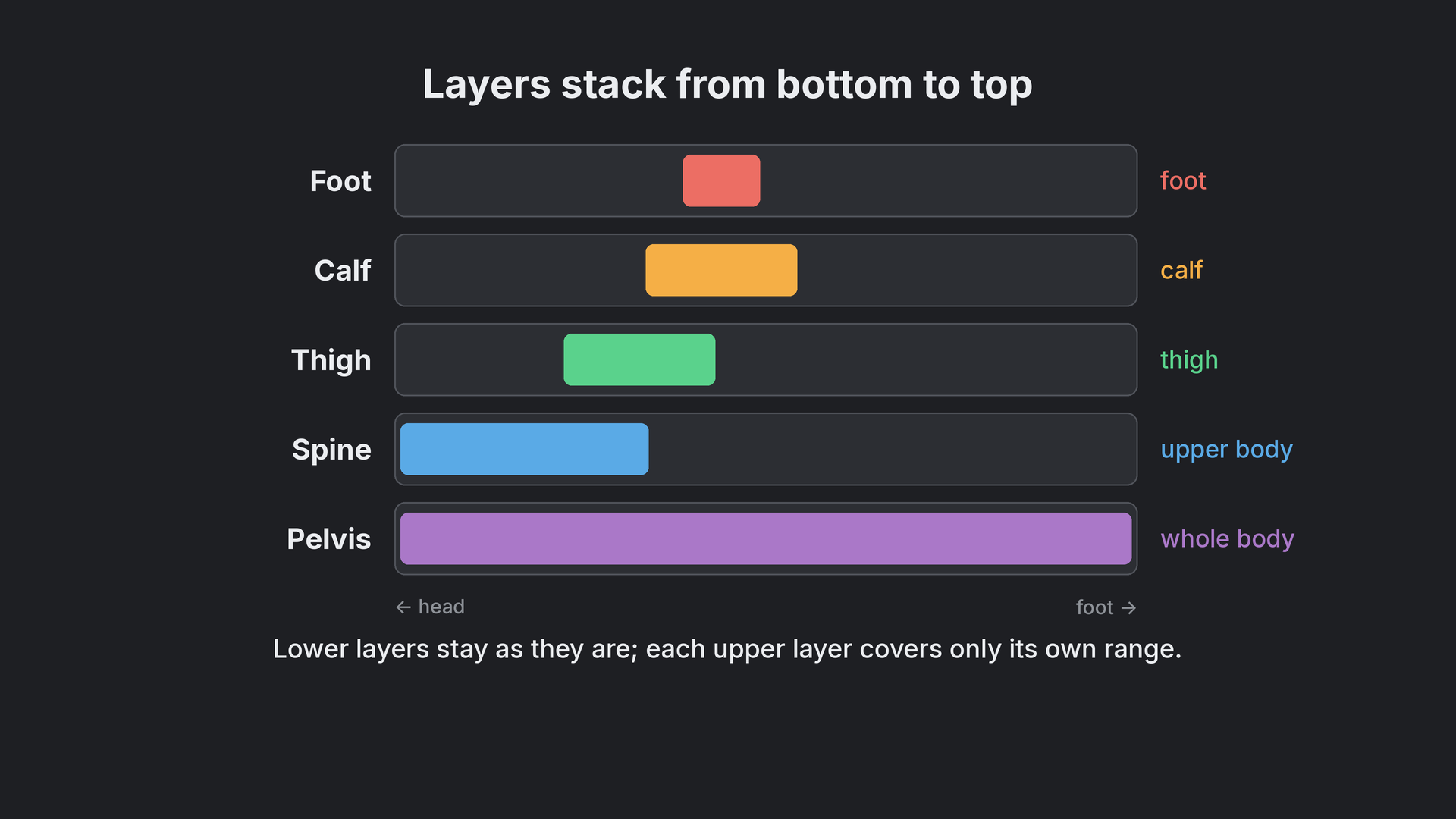
- Pelvis fills everything first.
- Spine fills the upper part on top of it.
- Thigh, Calf and Foot each stack in their own area.
- Lower layers stay as they are; each upper layer covers only its own range.
5. Finding a Problem Layer
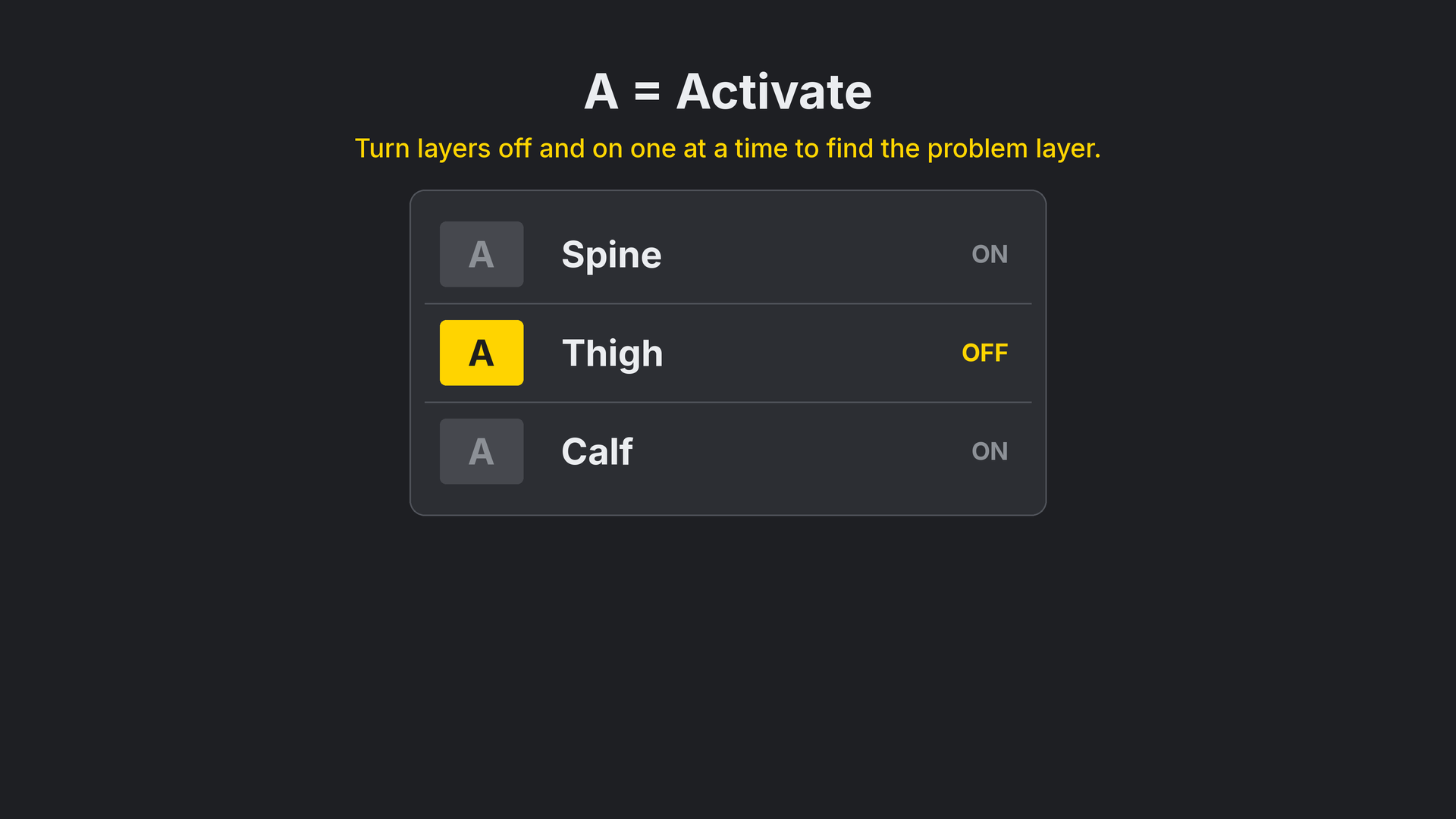
- Turn off Activate.
- Toggle layers on and off one by one.
- The layer that changes the shape is the cause.
Previous: Ep.4.2 — Gradient Tool
Next: Ep.7 — Pick and Apply to Skin