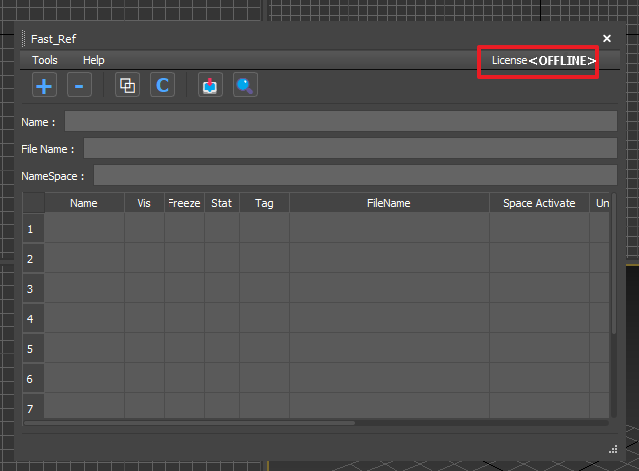
License Activation
Download Markdown Download with ImagesChecking Your Issued License
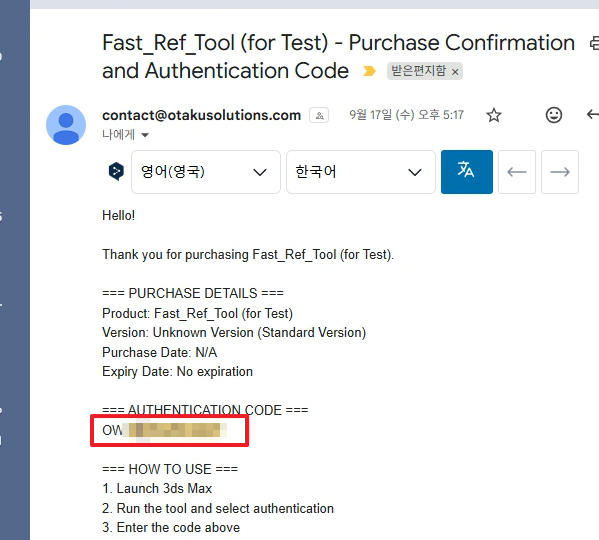
Your license is normally delivered by email.
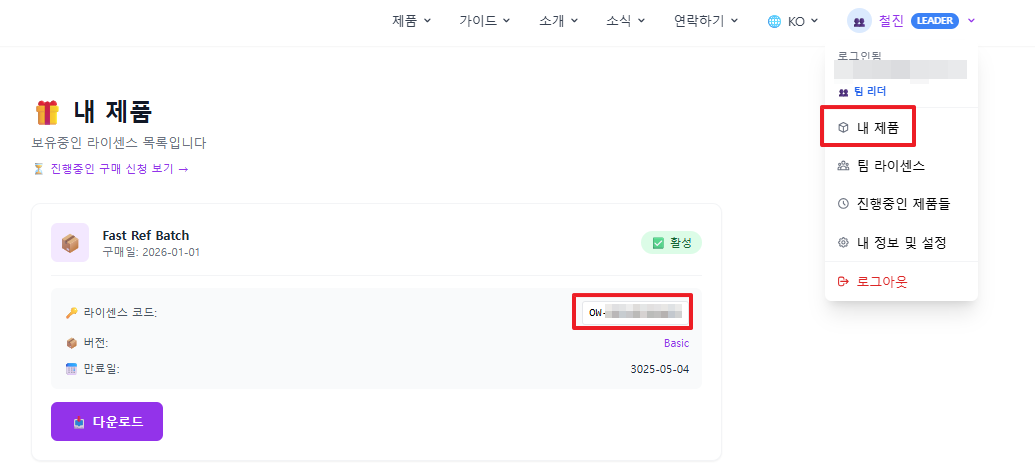
If you did not receive an email, you can find your license code on OtakuSolutions → [My Account] → [My Products].
✅ Choose Your License Activation Method
Please select the activation method that best suits your work environment.
Option A: Online Activation (standard)
All tools have a License → License Managing menu. Open it, enter your issued license code and email, then click [Update License].
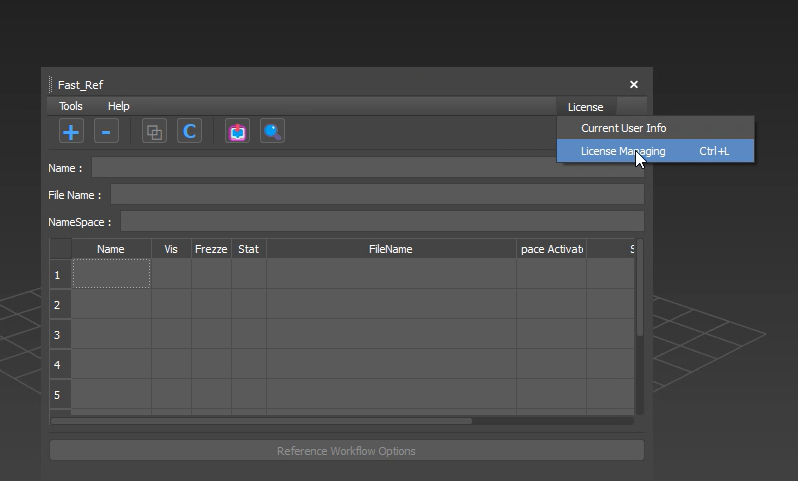
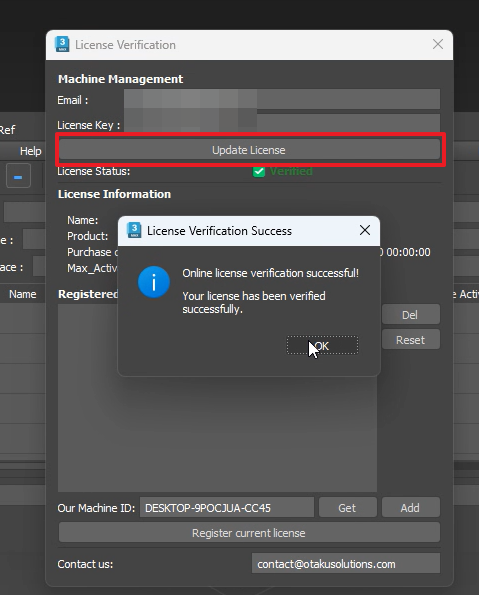
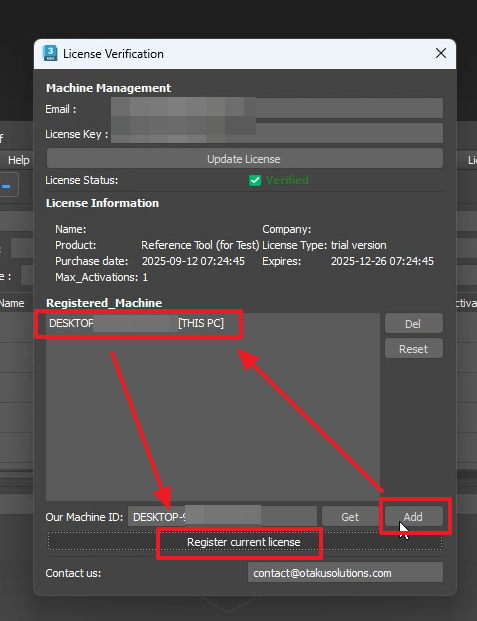
Next, click Machine ID → [Add] → [Confirm Machine ID] → [Register Current License] to register your machine ID and license information with the server.
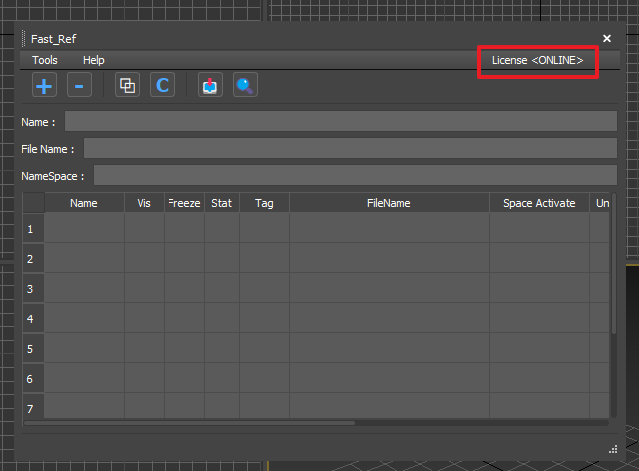
After restarting the tool, if the menu shows License \<ONLINE>, activation is complete.
Option B: Offline Activation (firewall environments)
A firewall at your workplace may block online license authentication.
In that case, use the offline activation method for a reliable installation.
If the connection to the authentication server fails, the tool automatically switches to [Offline Activation Mode].
Click [Generate Code on Web] to open the authentication page, then follow the steps and enter 1. Email / 2. License Code / 3. Machine ID.
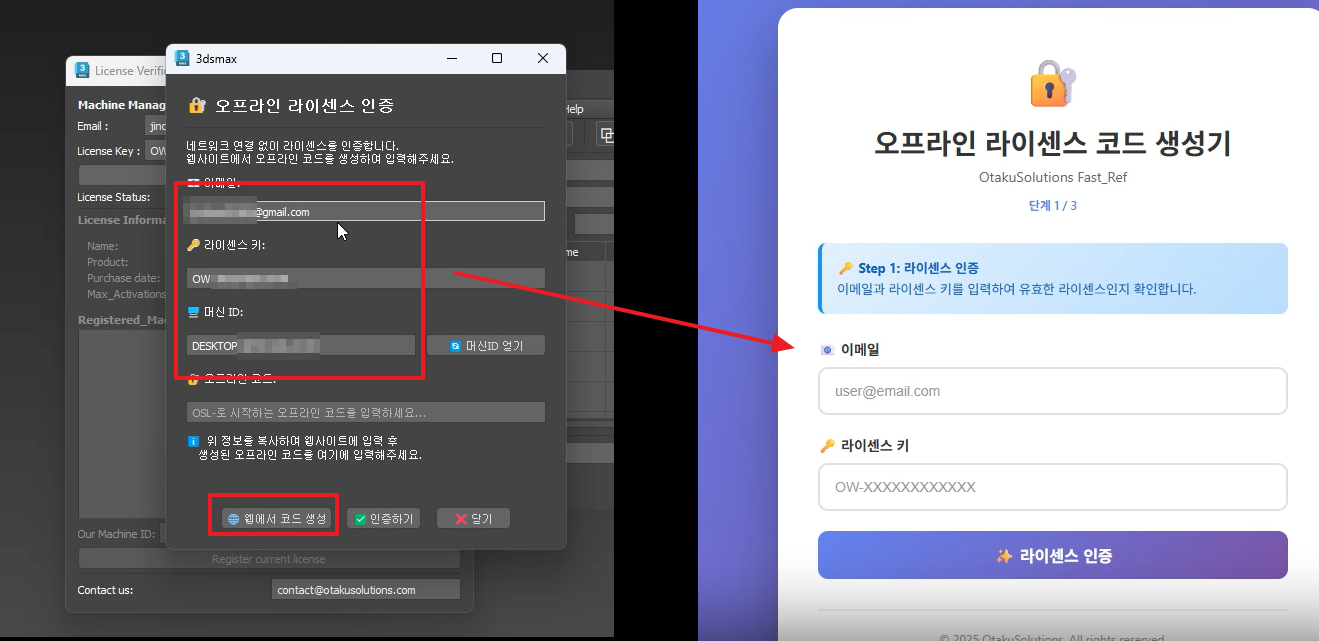
Once authentication succeeds, an offline code is generated. Paste it into the offline code field and click [Authenticate].
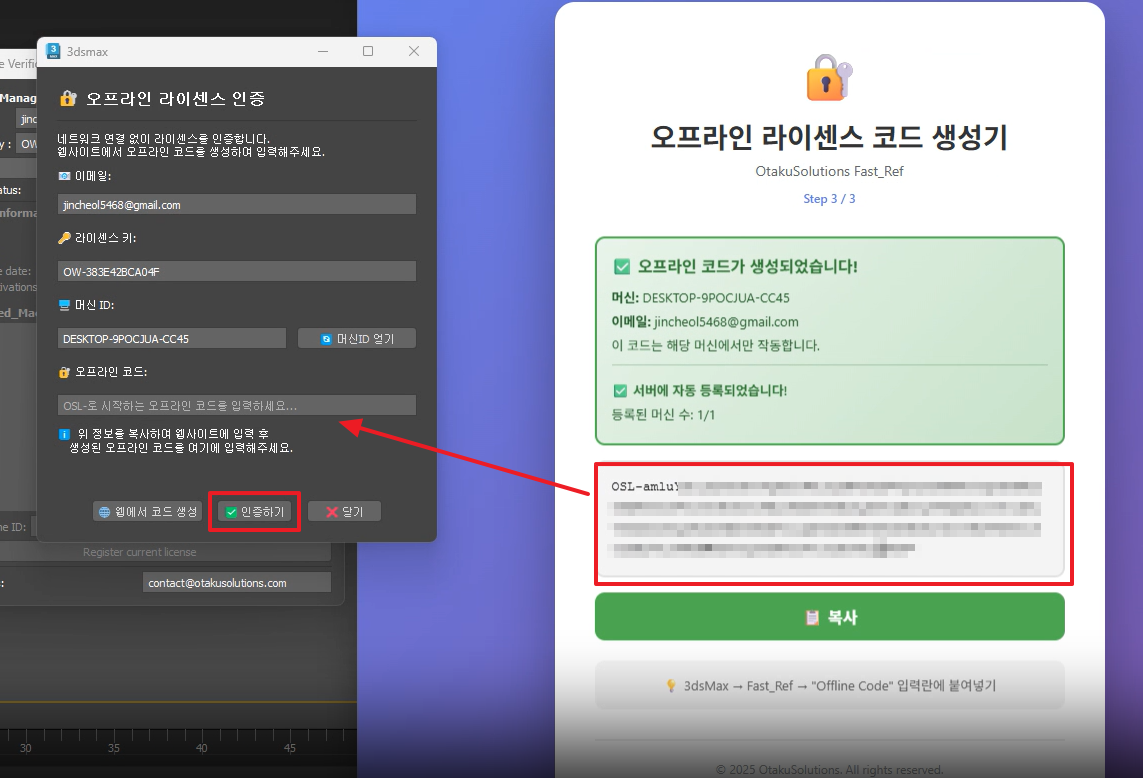
After restarting the tool, if the menu shows License \<OFFLINE>, offline activation is complete.