F.1 — Options Guide (General / FBX / Alembic)
Download Markdown Download with ImagesImage guide: Explains Fast-Ref Tools → Options and option dialogs with UI screenshots. (No separate video)
Summary
Open Tools → Options for FBX / General / Alembic. Pipeline behavior lives in General Options. Detailed FBX settings are in Ep.8. Alembic is summarized below.
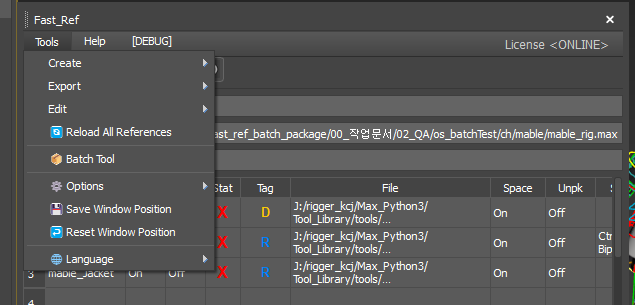
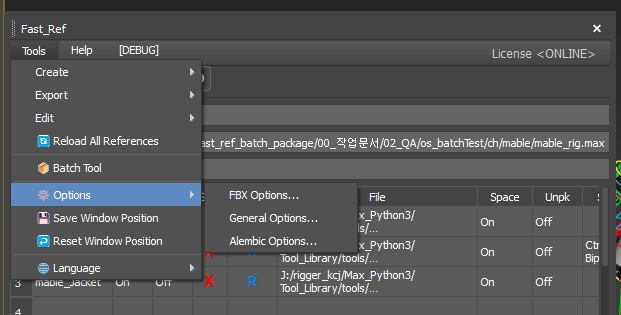
1. Menu location
- Open Tools on the Fast_Ref window.
- Hover Options: FBX Options / General Options / Alembic Options.
2. General Options
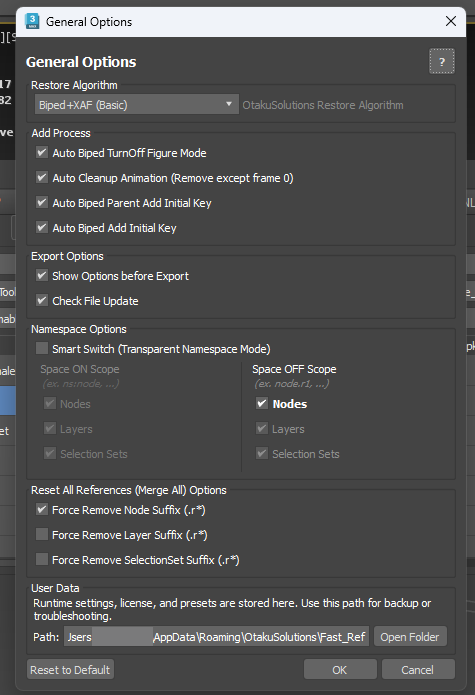
Restore Algorithm
Combo currently lists only Biped+XAF (Basic).
Export Options
- Show Options before Export — opens the FBX Options dialog before export.
- Check File Update — runs on Refresh; often unchecked by default.
Namespace Options
- Smart Switch — default OFF (see Ep.6).
- Space ON Scope — Nodes / Layers / Selection Sets are always checked and disabled (informational).
- Space OFF Scope — only Nodes is user-editable; Layers and Selection Sets stay fixed/disabled.
Reset All References (Merge All) Options
Three separate checkboxes: Force Remove Node / Layer / SelectionSet Suffix (.r*).
User Data
%APPDATA%\OtakuSolutions\Fast_Ref (Roaming). Open Folder for backup and troubleshooting.
Add Process table: see Korean block.
3. FBX Options
See Ep.8 for full detail.
4. Alembic Options (summary)
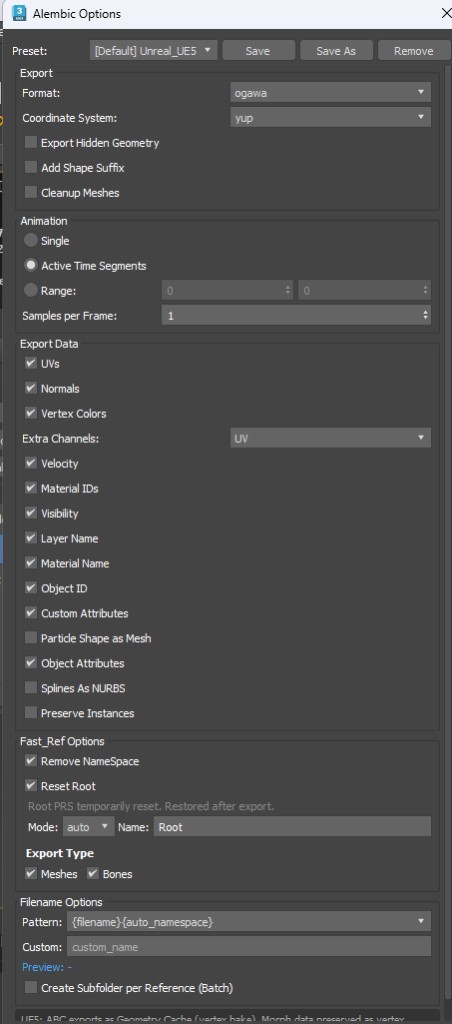
Defaults include Format ogawa, Coordinate yup, Reset Root Mode auto/name with Name default Root. Also animation range, export data, Fast_Ref options, and filename patterns. Save presets for reuse.
Related
Ep.5 Merge · Ep.6 Smart Switch · Ep.7–8 FBX · Ep.9 Batch