Fast Ref
F.2 — Create · Language · Help
Download Markdown Download with ImagesImage guide: Where to find Tools → Create / Language and Help in Fast_Ref.
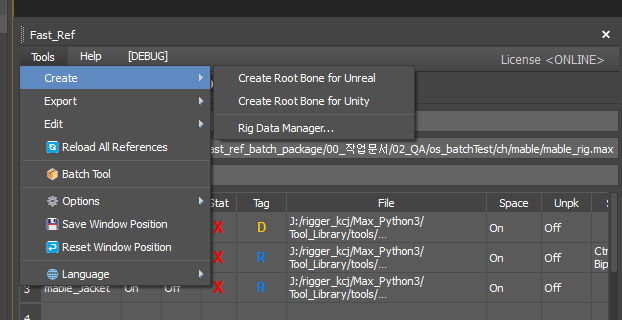
1. Tools → Create
Menu order: Unreal root → Unity root → Rig Data Manager...
Rig Data Manager is shared between Fast_Ref and BipedPlus. From Fast_Ref, the Biped Config save module is locked/disabled. See Ep.10 and BipedPlus F.2 Info_Node.
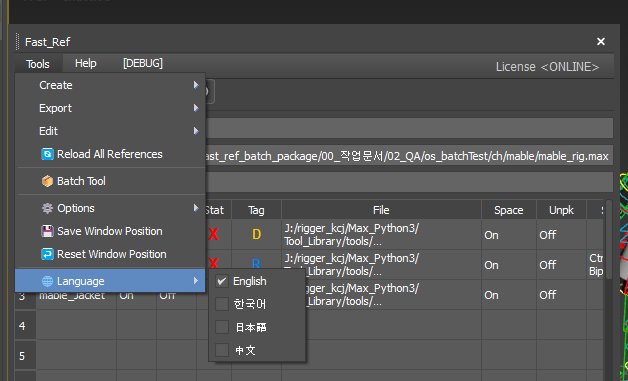
2. Tools → Language
Switch UI language: English, Korean, Japanese, Chinese. Restart 3ds Max after changing language for the UI to apply.
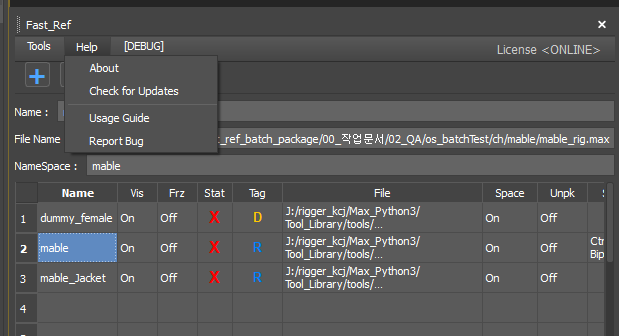
3. Help
Menu order: About → Check for Updates → Usage Guide → Report Bug.