FAQ.3 — How do I use an in-house Export tool?
Download Markdown Download with Imagesfast-ref is designed primarily for optimized game-engine FBX Export through its built-in features. We fully understand that each studio has its own pipeline and customization needs.
All components in fast-ref are built on standard 3ds Max nodes. Therefore, as long as you do not save the scene file after Export, you may freely edit the data structure to integrate with in-house tools.
⚠️ Most important rule: Never save the scene after Export.
Saving will lose fast-ref reference system data and normal management will no longer be possible.
1. Reset All References (v1.0.4~)
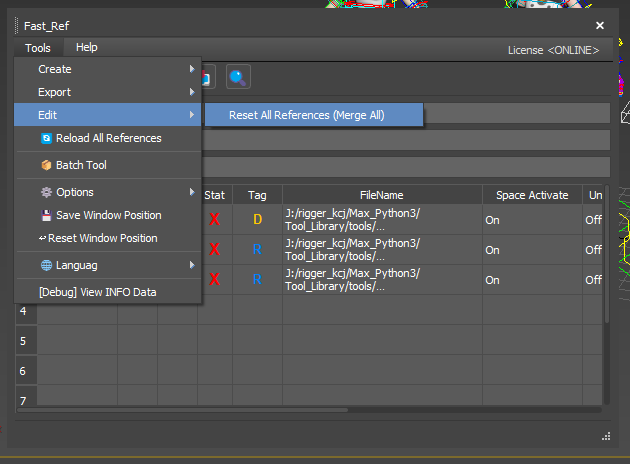
From v1.0.4, Reset All References converts all references into regular scene objects so you can work independently of fast-ref links.
Path: Tools → Edit → Reset All References (Merge All)
This feature automatically:
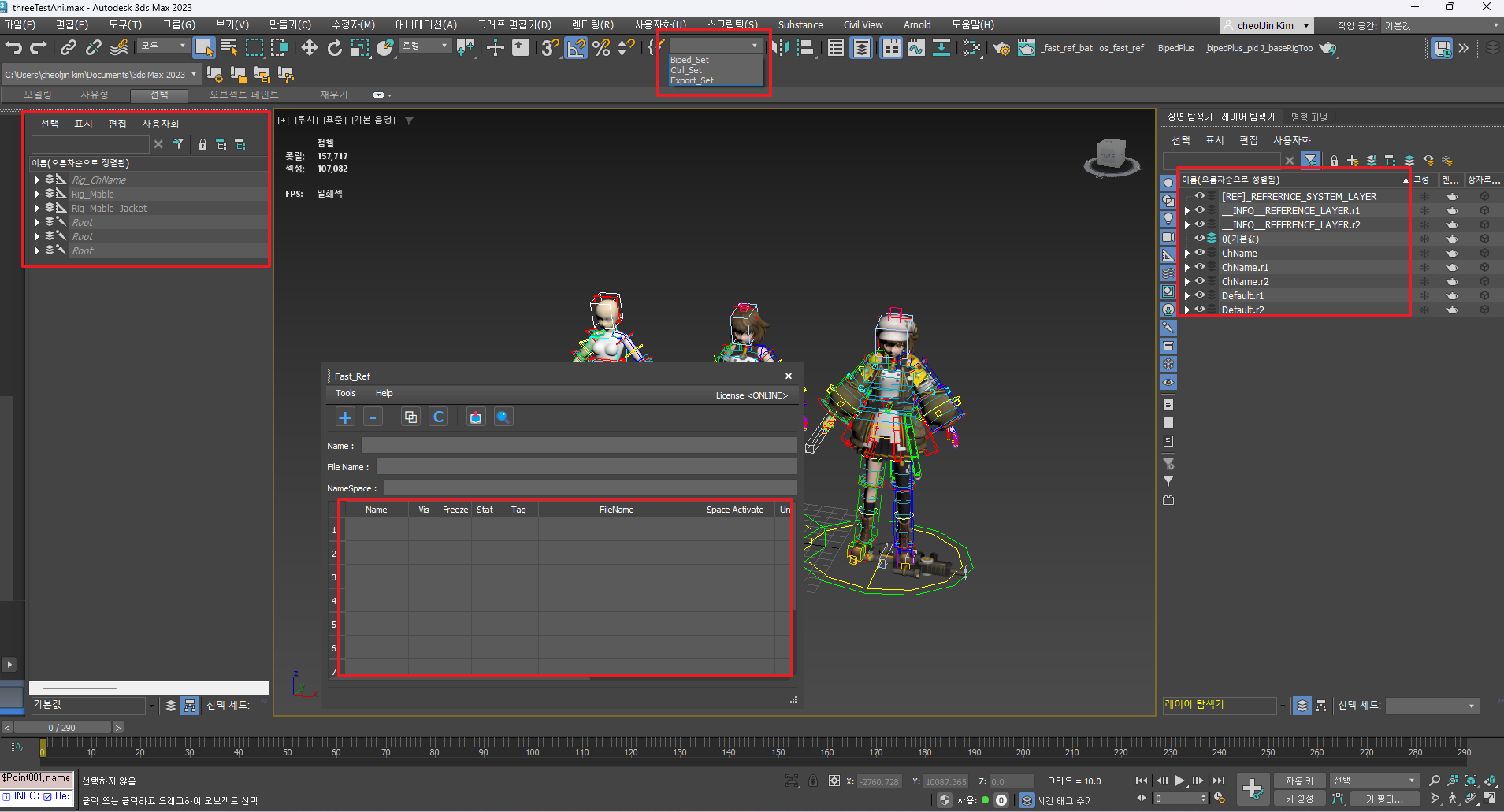
- Cleans all namespaces and suffixes
- Unparents hierarchy
- Flattens layer structure
- Removes fast-ref system data
When you need temporary integration with an in-house Export tool, run this feature, then Export.
⚠️ Reminder: After Reset, do not save the scene. Export only without saving.
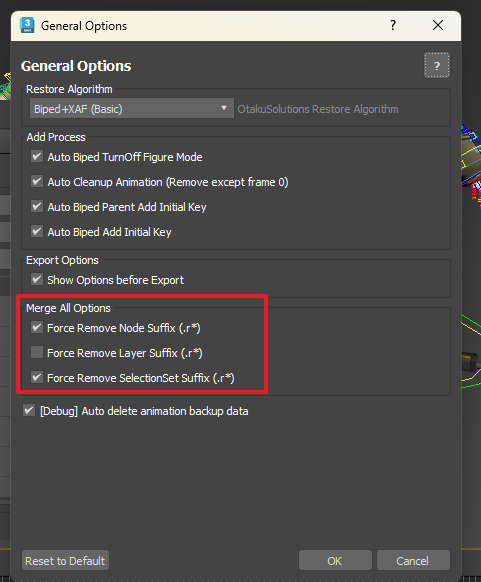
Merge All Options (configurable in General Options)
Suffix cleanup options applied when running Reset All References can be changed in the General Options dialog.
Path: Tools → General Options → Merge All Options
| Option | Default | Description | Why default |
|---|---|---|---|
| Force Remove Node Suffix (.r*) | ✅ ON | Remove .r1, .r2 suffixes from node names |
Engines map bones/meshes by node name; leftover suffixes can break retargeting and script references |
| Force Remove Layer Suffix (.r*) | ⬜ OFF | Remove suffixes from layer names (merge if same name exists) | Default OFF to avoid unintended layer merges when placing the same resource multiple times |
| Force Remove SelectionSet Suffix (.r*) | ✅ ON | Remove suffixes from SelectionSet names (merge if same name exists) | Export scripts often target groups by SelectionSet name; leftover suffixes can cause compatibility issues |
2. Script API support
Fast-Ref Script API is planned for advanced automation. In-house TAs can automate reference query, add, remove, Merge, and more via Python scripts.
import sys, os, pymxs
_p = os.path.join(pymxs.runtime.getDir(pymxs.runtime.Name("userScripts")), "os_fast_ref_package")
if _p not in sys.path: sys.path.append(_p)

from os_fast_ref.api import FastRefAPI

api = FastRefAPI()
result = api.merge_all_references(
    remove_node_suffix=True,
    remove_layer_suffix=True,
    remove_selectionset_suffix=True,
)
print(result['message'])
# → "Merge 완료: 3개 성공, 0개 실패"
API_Guide_Link : https://docs.otakusolutions.com/api/fast-ref/merge-all-references?lang=en
3. Notes for manual editing
If you edit with your own scripts without the API or Reset feature, follow these rules:
- Remove namespace: Delete the string before
:. (e.g.Mable:Root.r1→Root.r1) - Remove suffix: Remove
.r*style suffixes. (e.g.Root.r1→Root) - Unparent hierarchy: Unparent children of nodes starting with
[REF]. - Clean layers: Move child layers under
[REF]layers to the top level, then delete[REF]layers.
💡 Recommended approach
The most efficient integration is to share your studio’s internal Export setup and requirements with us. While providing guidelines, we often find simpler solutions than expected.
For technical help with structure or integration, contact us anytime.
OtakuSolutions actively supports building flexible pipelines for your team.