BipedPlus
F.1 — Settings · Biped Plus Options
Download Markdown Download with ImagesImage guide: BipedPlus Settings menu and Biped Plus Options dialog. (No separate video)
Summary
Use Settings → Options... for Figure Mode auto display, Control Mode wirecolor automation, and the User Data path.
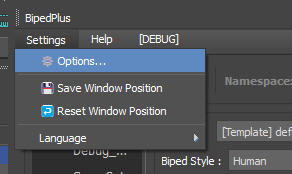
1. Settings menu
Options..., Save/Reset Window Position (labels may include emoji in the UI), Language.
2. Biped Plus Options
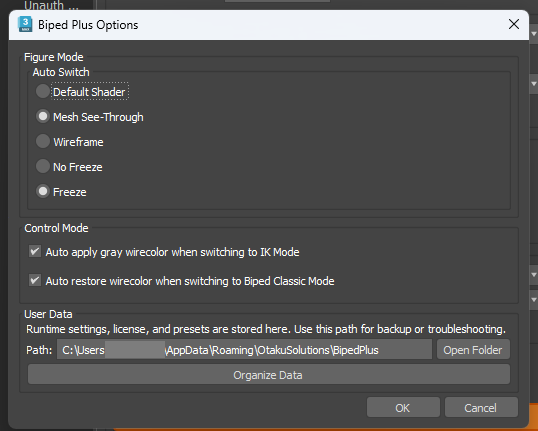
Figure Mode (Auto Switch) — Default Shader / Mesh See-Through / Wireframe / No Freeze / Freeze.
Control Mode — exact UI strings:
- Auto apply gray wirecolor when switching to IK Mode
- Auto restore wirecolor when switching to Biped Classic Mode
User Data — %APPDATA%\OtakuSolutions\BipedPlus (Roaming); Open Folder / Organize Data.