Ep.5.1 — Quick Skin · Voxel Upgrade
Download Markdown Download with Images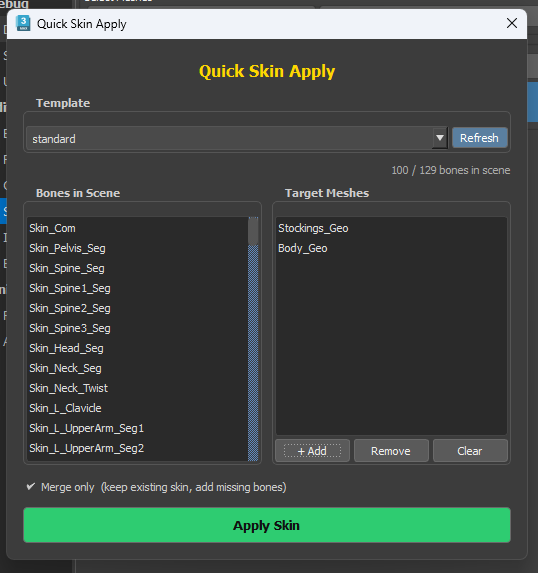
1. Why this episode
This is not a large update. Ep.5 Quick Skin tore a lot. That part is patched.
The layout changed. Voxel Algorithm replaces the old generic pass, and the setup is tuned to match. First-pass Skinning is more stable than before.
Detail still needs hand work. The first pass is for direction.
Skin tab management (Disable · Bind Pose · Save Load): Ep.5
2. Algorithm · Auto · Bind · Add
Turn on Auto in the default Template. It reads arm · leg count and picks the Algorithm.
Path has Bind and Add.
| Path | When |
|---|---|
| Bind | Bones share a position and you need Stretch Squash. Default when adding |
| Add | Add Influence after the first Skinning pass. When Voxel cannot split overlaps cleanly |
Voxel does not paint overlaps well. Overlap means “add Influence after the first pass.” Bones you will add later should be Add for a better first pass.
If Twist is five bones, it skips the tip and walks from the start bone.
3. One Volume · Each Volume
Split clothing Mesh often breaks Weight flow.
| Option | What it does |
|---|---|
| One Volume | Merges registered Mesh, then Copy Pastes. Keeps the flow. Recommended · on by default |
| Each Volume | Each Mesh on its own |
Clear Skinning, then All Mesh once. The first pass already shows direction. Stretch Squash holds. Head · fingers tear less than before.
4. is Skinned · Skin Template
Mark bones for Skin as is Skinned. You can add everything, but splitting first is easier.
Skin Bone → Select shows bones that start from Root. Facial may be absent. Look at Body first. Skin only is Skinned bones.
Checking one by one is slow. The default Template finds the right bones and Path Type. Right-click a pass to change Type.
Prefix can be Bip001 instead of Skin_. Save As → Skin Template and next time you just pick that file.
Bone list: B.1
5. Stock 3ds Max skinning · SkinLayer Studio
Voxel improved the first pass. Doing the rest with only stock 3ds Max skinning tools is still hard. Keep Max for basic edits. For Skinning, look at a plugin or SkinLayer Studio.
A lot of “skinning is hard” mail came in, so the SkinLayer Studio subscription bundled with BipedPlus is now 3 months. Events may change this.
Why stock Max skinning hurts: Ep.6
Contact: contact@otakusolutions.com
One-line flow
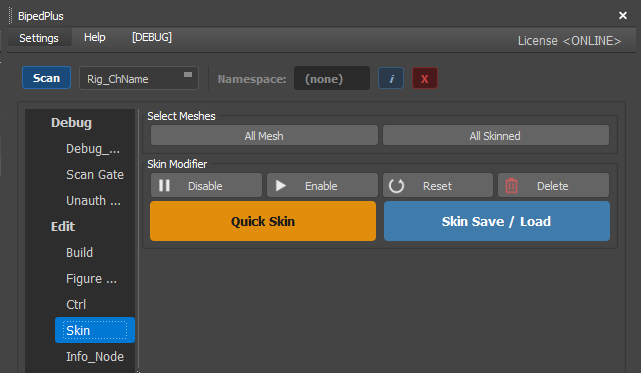
Quick Skin
  → Template Auto
  → Path: Bind (Stretch Squash) / Add (Influence after first pass)
  → One Volume (split clothing Mesh)
  → All Mesh → Apply
  → Check first-pass direction · polish by hand
  → is Skinned · save Skin Template