BipedPlus
F.2 — Info_Node · Rig Data Manager
Download Markdown Download with ImagesImage guide: Edit → Info_Node. Full write-ups: Part 1 · Part 2 · Part 3
Summary
Info_Node stores rig metadata for Fast-Ref load/replace.
1. Rig Data Manager
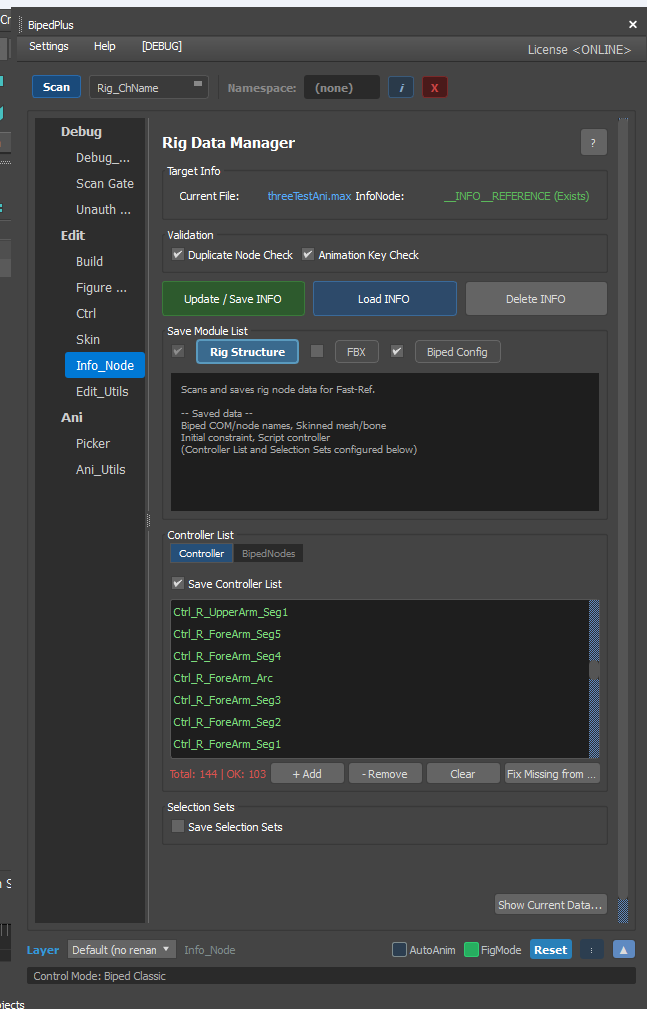
Edit sidebar: Convert sits between Skin and Info_Node. InfoNode status: None (New) or {name} (Exists). Button: Update / Save INFO.
2. Save Module List
Rig Structure — for Fast-Ref (Rigging Info Part 1).
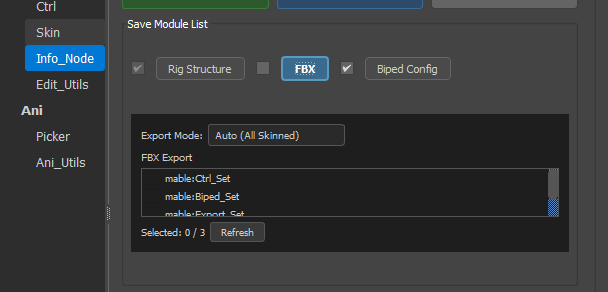
FBX — Auto (All Skinned) / Defined (Selection Sets); export list from scene Named Selection Sets (examples vary). Refresh to update.
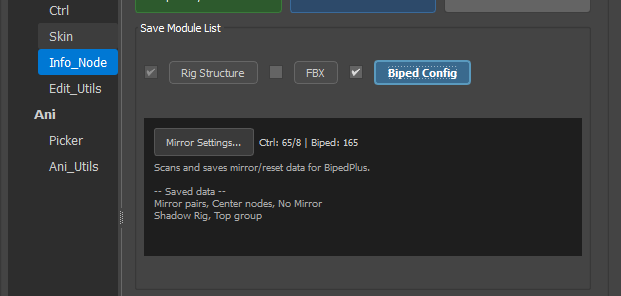
Biped Config
Mirror/reset: Rigging Info Part 2. Custom Factor: Part 3.
3. Controller List / Selection Sets
Tabs Controller / BipedNodes; Save Selection Sets checkbox; Show Current Data...